 ABAMBUZ IN YOUR POCKET
Your marketplace.
One tap away.
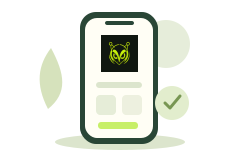
Shop, track your orders and manage your ABAMBUZ account in an app installed from your browser.
Install ABAMBUZChoose your device
Android
- Open this website in Chrome.
- Tap Install ABAMBUZ above if offered.
- Otherwise open the browser menu and choose Install app or Add to Home screen.
iPhone / iPad
- Open this website in Safari.
- Tap Share, then Add to Home Screen.
- Tap Add and open ABAMBUZ from your Home Screen.
This is an installable web app, not an APK or an App Store listing. Internet is required for shopping and account operations.
Notifications, on your terms
Choose whether to receive ABAMBUZ announcements. On iPhone/iPad, install and open the Home Screen app first (iOS/iPadOS 16.4 or later).
Notifications use OneSignal after you choose to enable them. You can change browser/system permissions at any time.